 Skip to content

Published 11 July 2026 Last reviewed 30 July 2026 By SMC Custom Installs
A Control4 system brings your lighting, audio, video, heating, security and blinds together under one interface, so the whole house responds to a single button press rather than six different apps. Before you buy, it helps to understand the handful of components every system is built from, and why the way it’s designed and installed matters more than any individual box. This guide explains both, without the jargon.
Key points
- Every Control4 system is built around a central controller, the Core series, which runs the whole house.
- You interact with it through remotes, keypads, touchscreens, the app and voice, and most homes use a mix.
- Wired connections are more reliable than wireless; new builds and renovations should cable wherever possible.
- Control4 is sold and installed only through certified dealers, so choosing the right one is part of the purchase.
- A showroom demo is the fastest way to find out whether the system suits how your household actually lives.
What Control4 actually is
Control4 is a whole-home automation platform. Rather than replacing your existing kit, it sits above it: your TV, amplifier, lighting circuits, heating, cameras and door entry all connect to one system with one consistent interface.
That’s the practical difference between a smart home and a house full of smart gadgets. Gadgets each need their own app. A Control4 home lets one press of a button dim the lights, drop the blinds and start the film, because everything talks to everything else. You can read more about how we approach this on our smart home technology page.
The controller: the brain of the system
Every Control4 home has at least one controller, currently the Core series. It runs the operating system, coordinates all your devices and handles the on-screen interface you see on your TVs.
Which controller you need depends on the size of the project. A single media room needs far less processing than a house with dozens of lighting circuits, multiple audio zones and a cinema. Your dealer will specify the right one, and systems can be expanded later, so you’re not locked into your starting point.
You never really “use” the controller directly. It sits in a cupboard or rack doing its job quietly, which is exactly how it should be.
Remotes, keypads, touchscreens, app and voice
The parts you touch every day matter far more to daily life than the electronics in the rack. Control4 offers several ways in, and most households end up using a combination.
- Handheld remotes. The current Halo remotes replace the pile of remotes on the coffee table with one device that controls the TV, sources, lights and blinds. Both models include voice control and a colour screen; the Halo Touch adds a larger touchscreen in place of the standard Halo’s button-navigated display.
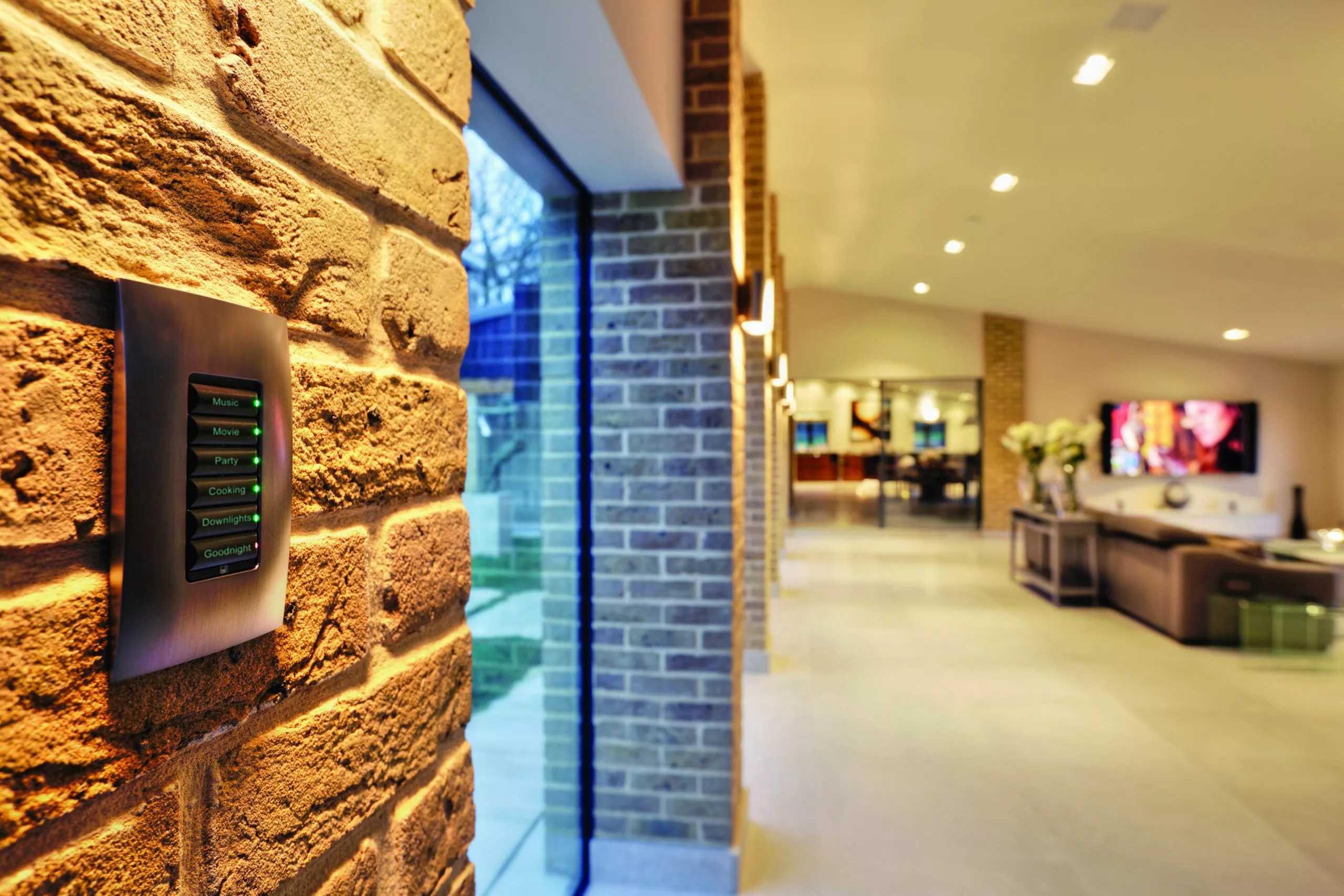
- Keypads. Wall-mounted buttons engraved with plain labels: “Movie”, “Goodnight”, “All Off”. These are what guests and children use without any instruction.
- Touchscreens. Wall or tabletop screens showing the full system: intercom, cameras, music, climate and more.
- The app. Everything above, on your phone, at home or away.
- Voice. Control4 works with the main voice assistants for hands-free control of lights, scenes and media.
A good design puts the right interface in the right room. A keypad by the bedroom door beats fumbling for a phone at 11pm.
Wired vs wireless: why it matters
Control4 supports both wired and wireless devices, but the two are not equal. Wired connections (network cabling to TVs, controllers, access points and audio zones) are faster, more stable and immune to interference. Wireless is convenient and sometimes the only option in a finished house, but every wireless device depends on the quality of your network.
| Feature | Wired | Wireless |
|---|---|---|
| Reliability | Highest — unaffected by interference | Good, but depends on network quality |
| Best for | New builds, renovations, fixed kit | Retrofit, portable devices, some sensors |
| Disruption to install | Needs cable runs | Minimal |
| Future-proofing | Excellent | Standards change over time |
If you’re building or renovating, run cable now. It’s cheap while the walls are open and expensive afterwards. Either way, the system is only as good as the network behind it, which is why we treat WiFi and structured cabling as the foundation of every project rather than an afterthought.
What a certified showroom adds
Control4 isn’t sold in boxes off a shelf; it’s designed, programmed and supported by certified dealers. That means the dealer you choose shapes the result as much as the products do.
A Control4 Certified Showroom goes a step further: it’s a working, fully programmed system you can try before committing. At our Shrewsbury showroom you can press the keypads, use the remotes, walk through lighting scenes and see the on-screen interface on a real cinema, which answers questions no brochure can.
Questions to ask before you buy
Whoever you talk to, these questions will quickly reveal whether you’re dealing with a serious installer:
- Are you a certified Control4 dealer, and can I see a working system?
- Who does the programming, and what happens when I want changes later?
- What network are you proposing, and is it specified for the number of devices?
- How do you handle support after handover?
- Can the system grow — more rooms, more zones — without starting again?
The other question everyone has is budget. Our Control4 cost and pricing guide sets out four worked examples, from a single room to an eight-bedroom house, with the equipment listed against every figure.
Since 2006 we’ve designed and installed Control4 systems across Shropshire and beyond, alongside home cinema, multi-room audio and Lutron lighting and blinds, all of which integrate directly with Control4.
Frequently asked questions
Can I install Control4 myself?
No. Control4 is a dealer-installed platform. The system is designed and programmed for your specific home by a certified installer, which is a large part of why it works so reliably day to day.
Does Control4 work in an existing house, or only new builds?
It works well in both. New builds allow more cabling, which is ideal, but wireless lighting, remotes and a well-designed network mean an existing home can be retrofitted with very little disruption.
Will Control4 work with my existing TV and hi-fi?
In most cases, yes. Control4 supports thousands of third-party devices, so existing TVs, amplifiers and sources can usually be brought into the system. Bring a list of your kit to the showroom and we’ll confirm.
Do I have to automate the whole house at once?
No. Many clients start with one area, such as a cinema room or lighting on the ground floor, and expand later. A properly specified controller and network make that straightforward. Get in touch to talk through a starting point.
Is there an ongoing software cost?
Control4 systems come with Control4 Connect, an annual software service. Keeping it running isn’t compulsory, but we strongly recommend it: it keeps the app working when you’re away from home, it lets us support and adjust your system remotely, often fixing things within one working day without a site visit, and it keeps the system’s software, security and integrations (including voice assistants) up to date. We’ll always be straight with you about what it costs and what it does before you commit.
Questions About Any of This?
Whether you already own a system that’s playing up or you’re just starting to plan your first project, tell us what’s on your mind and you’ll get a plain answer from the team. Based in Shrewsbury, working across Shropshire, Cheshire, Staffordshire, the West Midlands and the Welsh borders.
Book a Showroom Demo Book a 20-Minute Call Get In Touch Or call 01743 234945 · info@smccustominstalls.co.uk