 Skip to content

Published 28 September 2026 Last reviewed 6 October 2026 By SMC Custom Installs
Good home WiFi isn’t one powerful box. It’s several access points working as a single network, each connected back by cable, so your phone moves between them as you walk around without you noticing. Mesh kits do a version of the same thing over WiFi itself, which works in a modest house but runs out of steam in bigger, thick-walled or spread-out homes. Here’s the difference in plain English, and how to tell which your home needs.
Key points
- “Roaming” is your phone or laptop moving from one WiFi point to a closer one as you walk around. Done well, calls and music carry on without a blip.
- Most mesh kits link their units to each other over WiFi (“wireless backhaul”), so every extra hop shares airtime and loses speed.
- A proper system cables every access point back to a central switch, so each one has a full-speed connection, then manages roaming across the whole house.
- It earns its keep in larger homes, thick stone walls, extensions, garden rooms and outbuildings, and anywhere a smart home depends on WiFi.
- In a smaller modern home a good mesh kit can be all you need, and we’ll tell you if that’s the case.
What roaming actually means
Your phone only ever talks to one WiFi point at a time. Walk from the kitchen to the far end of the garden and, at some point, it needs to let go of the point it started on and join one nearer to where you are now. That hand-over is roaming.
The catch is that the phone makes the decision, not the network, and phones are cautious. Many hold on to a weak signal for far too long (engineers call them “sticky” clients) before finally jumping. That’s the video call that freezes as you walk into the garden, or the music that drops when you carry your phone upstairs, even though there’s a perfectly good access point in the next room.
A well-designed system helps the phone decide. Three WiFi standards do the heavy lifting: 802.11k lets the network tell a device which access points are nearby, 802.11v lets it suggest a better one, and 802.11r lets the device reconnect quickly without repeating the full security handshake. Most modern phones, tablets and laptops support at least some of them. Set up properly, alongside sensible signal thresholds, the hand-over takes a fraction of a second and nobody notices.
How mesh kits work, and where the wireless link costs you
A mesh kit is a set of matching units, often discs or small towers, that you plug in around the house. The discs that come with some broadband packages, such as BT’s Complete WiFi discs, are a familiar example. They share one network name and pass your devices between them, which is a real step up from a single router.
The weakness is how the units talk to each other. In most homes they link back over WiFi, known as wireless backhaul. On a typical dual-band kit, the same radio that serves your devices also carries all the traffic back to the router, so the two compete for airtime and each gets less than half of it. Every extra hop repeats the problem, which is why the disc at the far end of the chain can feel slow even when it shows full bars.
Walls matter too. The link between two units has to get through whatever sits between them, and thick stone walls, foil-backed insulation boards and long runs of rooms all weaken it. The units also end up wherever there’s a spare socket, not where the coverage is needed.
Better kits help. Many tri-band models keep a separate radio just for the link between units, and almost every kit improves dramatically if you can run a network cable between the units. That last point is the giveaway: a mesh kit with cables between its units is most of the way to a proper system.
What a proper system does differently
On the systems we install, every access point has its own network cable running back to a central switch, usually in a small cabinet alongside the router. The same cable carries the data and powers the access point (Power over Ethernet), so there are no plugs or power adaptors to find space for.
- Full speed at every point. Each access point has its own wired connection, so the one in the far bedroom is as quick as the one in the hall.
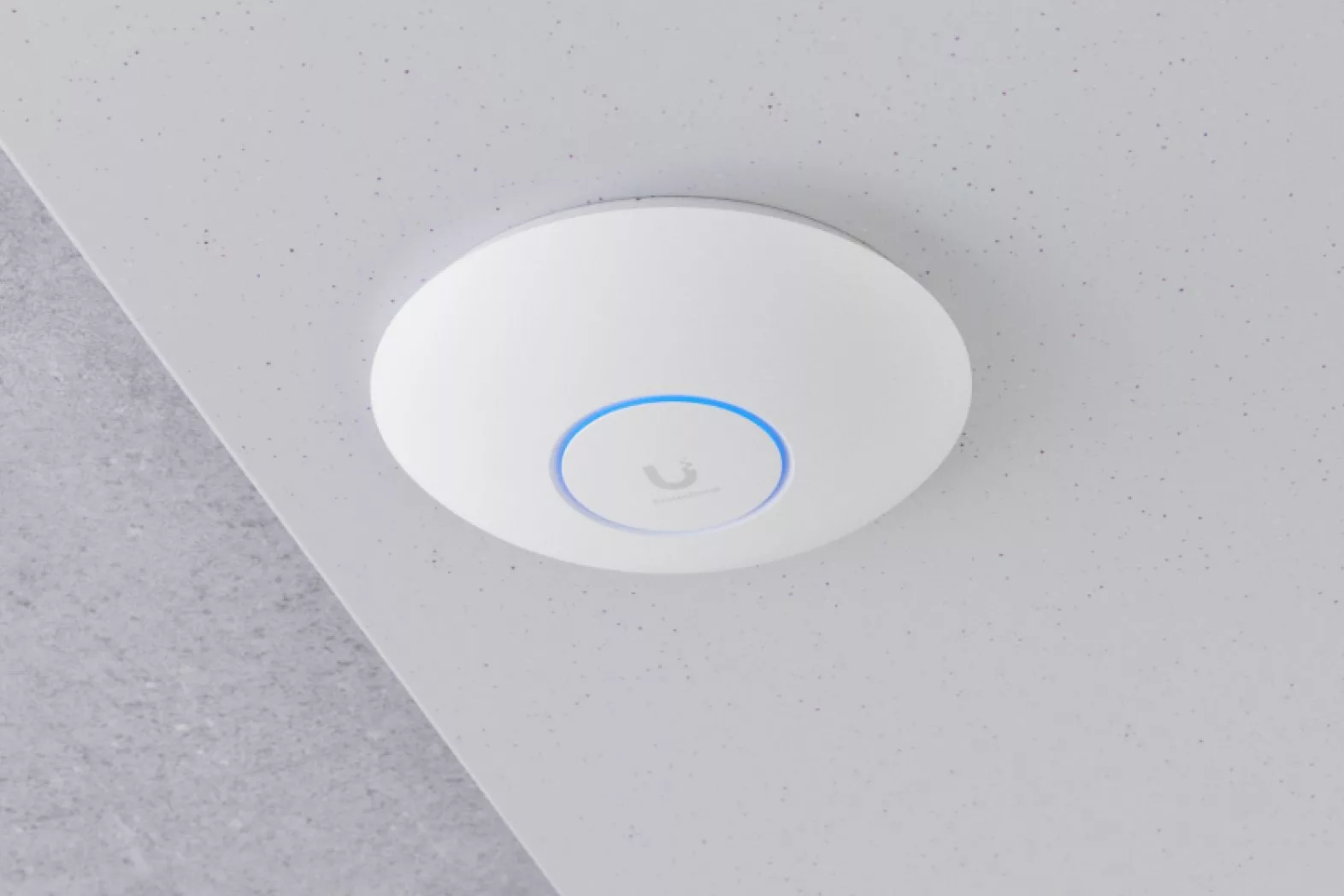
- Placed for coverage, not sockets. Access points go on ceilings where the design says they should, usually as small white discs that people stop noticing within a week.
- Managed as one system. A single controller sets power levels, channels and roaming behaviour across the whole house, so the access points cooperate rather than shouting over each other.
- Room for everything. A smart home can have dozens of connected devices. More access points on cable means more capacity, not just more coverage.
- Separate networks. Guests, family devices and smart-home kit can each have their own network, which is better for security and for reliability.
- Looked after. Our On Watch aftercare plan includes remote monitoring of compatible network equipment, with alerts reviewed by our team during support hours.
We mostly use Ubiquiti’s UniFi range, with other brands where they suit a job better, but the principles matter more than the badge: cabled access points, sensible placement and one system managing the lot. Our WiFi and structured cabling page shows how we approach it.
| Feature | Typical mesh kit (wireless backhaul) | Cabled access point system |
|---|---|---|
| Link between points | WiFi, shared with your devices | A network cable to each point |
| Speed at the far end | Drops with every hop | The same everywhere |
| Where the units go | Near a socket, on a shelf | On ceilings, where the design says |
| Roaming | Handled by the kit, with little tuning | Tuned across the whole house |
| Gardens and outbuildings | Hit and miss | Outdoor access points or a dedicated wireless bridge |
| Best for | Smaller homes where cabling isn’t possible | Larger homes, smart homes and building projects |
Where a proper WiFi system earns its keep
- Larger and longer houses. Once a home stretches three or four rooms beyond the router, wireless hops start to show.
- Thick walls. Stone farmhouses, barn conversions and older properties across Shropshire and the borders are hard on WiFi. Cabled access points go round the problem rather than through it.
- Extensions, garden rooms and outbuildings. A garden office, gym or annexe can have its own access point on a buried cable, or a point-to-point wireless bridge where a cable can’t reach.
- Working from home. Video calls are the first thing to suffer from a poor hand-over, and good roaming is what keeps them going when you get up and walk.
- A smart home. Control panels, remotes, speakers, cameras and doorbells all lean on the network. When the network is solid, the smart home feels solid. There’s more on that in our guide to why a smart home needs a proper network.
- Gardens and terraces. Weatherproof outdoor access points make music, cameras and phones work outside as well as in.
When a mesh kit is enough
We’re not going to tell you everyone needs cabled access points. In a smaller, modern home with plasterboard walls, a good tri-band mesh kit is often perfectly adequate, and if you rent or can’t run any cables it may be the only sensible option. If there’s even one cable route between the router and the far end of the house, use it to connect a mesh unit and you’ll see a big improvement.
Mesh stops being the right answer when you’re adding units to chase dead spots, restarting discs every few weeks, or building a smart home that needs the network to be there every time.
What getting it done involves
It starts with a survey: a walk round the property, ideally with the drawings, to see how it’s built and how you use it. From that we plan where the access points need to go and how the cables get there. In a new build or renovation, the cabling goes in at first fix alongside the electrics. In a finished home, loft spaces, floor voids and careful routing usually reach the key positions without redecorating. The access points go up, the system is set up and tuned, and we walk the house testing coverage and hand-over before we call it done.
It’s the same kind of network our Shrewsbury showroom runs on, so if you’d like to see how discreet the kit is, come and have a look.
Frequently asked questions
Is mesh WiFi bad?
No. A good mesh kit is a big improvement on a single router, and in many smaller homes it’s all you need. It struggles when the units have to link to each other wirelessly through thick walls or over several hops.
What is wireless backhaul?
It’s the link between the mesh units and the router. With wireless backhaul that link is WiFi, which shares airtime with your devices. With wired backhaul it’s a network cable, which is faster and isn’t affected by walls.
Will my phone roam between access points on its own?
Yes, but phones decide when to move and often hang on too long. A properly set-up system uses the roaming standards most modern devices support (802.11k, v and r) and sensible signal thresholds, so the hand-over is quick and nobody notices.
Can you improve WiFi without rewiring the house?
Usually, yes. Loft spaces, floor voids and a few discreet cable runs reach the key access point positions in most finished homes. Where a cable really can’t go, a wireless bridge can link an outbuilding.
Which brands do you use?
Mostly Ubiquiti’s UniFi range, with other brands where they suit a job better. The design and installation matter more than the logo on the box.
Based in Shrewsbury, we design and install home WiFi and structured cabling across Shropshire, Cheshire, Staffordshire, the West Midlands and the Welsh borders. If you’re planning a build, read when to involve an installer in your wiring, or get in touch and tell us where your WiFi lets you down.
Questions About Any of This?
Whether you already own a system that’s playing up or you’re just starting to plan your first project, tell us what’s on your mind and you’ll get a plain answer from the team. Based in Shrewsbury, working across Shropshire, Cheshire, Staffordshire, the West Midlands and the Welsh borders.
Book a Showroom Demo Book a 20-Minute Call Get In Touch Or call 01743 234945 · info@smccustominstalls.co.uk