 Skip to content

Published 11 July 2026 Last reviewed 28 September 2026 By SMC Custom Installs
Almost every “my smart home is unreliable” complaint we investigate turns out to be a network problem: a broadband router doing a job it was never designed for. A smart home can easily put fifty or more devices on the network at once, and the router your internet provider supplied was built for a handful. Fix the network first and most of the frustrations (dropouts, lag, devices going “offline”) simply stop.
Key points
- The free router from your broadband provider is the weakest link in most smart homes.
- A proper network has three parts: capable routing, a wired backbone, and WiFi designed for coverage.
- Anything that doesn’t move, such as TVs, controllers and cameras, should be wired, not on WiFi.
- Separating smart-home gadgets from your personal devices improves both security and reliability.
- Network cabling is cheapest during a build or renovation, and hardest to add afterwards.
Why the ISP router isn’t enough
The router in your hallway is doing four jobs at once: modem, router, WiFi access point and switch. For a family with a couple of laptops and phones, that’s fine. Add a control system, streaming boxes, cameras, a doorbell, smart lighting, blinds, speakers in six rooms and everyone’s devices, and it’s being asked to juggle constant traffic from dozens of clients, all from one corner of the house and through several walls.
The symptoms are familiar: video that buffers in the evening, a “smart” device that needs re-adding every few weeks, music that stutters in the far bedroom. The gadgets get blamed; the network is the cause. It’s also why two identical smart-home products can be rock-solid in one house and infuriating in the one next door. The difference is rarely the product.
The three parts of a proper home network
When we design a network for a smart home project, it has three distinct layers:
- Routing and switching. A capable router handles the traffic and security, and network switches distribute wired connections around the house, usually from a small central cabinet.
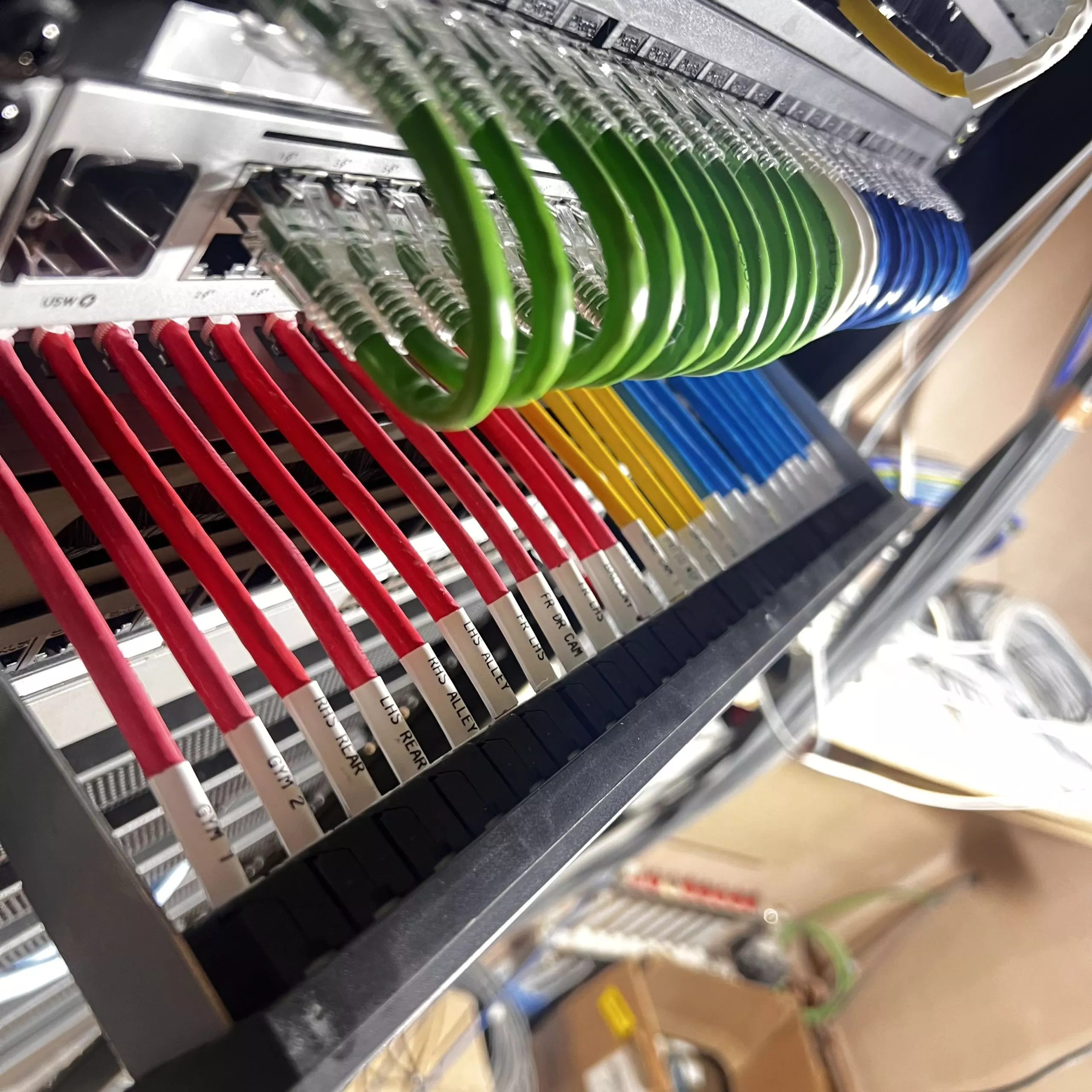
- A wired backbone. Data cabling from that central point to the places that need it: TV positions, the AV rack, office desks, access point locations, cameras.
- WiFi designed for coverage. Multiple access points placed where people actually use devices, not one box shouting from the hallway. Done properly, your phone hands over between them without dropping, and there are no dead corners. Our guide to roaming WiFi explains how that hand-over works.
This is the “structured cabling” you’ll see on our WiFi and structured cabling page: an organised, labelled, testable wiring system rather than a tangle behind the TV.
Wire what doesn’t move
A simple rule covers most decisions: if a device lives in one place, wire it. TVs, AV receivers, control processors, cameras, access points and desktop computers all benefit from a cable: it’s faster, it’s immune to interference, and every device you take off WiFi frees airtime for the things that genuinely need it, like phones and tablets.
| Device | Wired or WiFi? |
|---|---|
| TVs, streamers, AV rack | Wired |
| Control system processor | Wired, always |
| Cameras and door entry | Wired where possible |
| WiFi access points | Wired (that’s the point) |
| Phones, tablets, laptops | WiFi |
| Battery sensors and blinds | Wireless by design |
Keeping smart gadgets in their own lane
A growing part of good network design is separation: putting smart-home and “Internet of Things” devices on their own network segment, apart from the laptops and phones that hold your personal data.
The reasoning is straightforward. Cheap connected gadgets don’t always get security updates, and any device on your network is a potential way in. Segmenting the network means a compromised gadget can’t reach your banking laptop, and it also keeps chatty devices from cluttering the network your work calls run on. Guest WiFi follows the same logic: visitors get internet access without access to everything else.
This isn’t exotic; it’s standard practice on the networks we install, configured once and then invisible. You won’t notice it day to day — which is the point — but it’s one of the clearest markers of a network designed by someone who’s thought about smart homes rather than just box-shifted a router.
If you’re building or renovating: cable now
Data cabling is one of the cheapest items on a building project and one of the most expensive to add later. While walls are open, running cables to every TV point, ceiling access-point position and camera location costs little. After plastering, every one of those runs means lifted floors or channelled walls.
Even if you’re not installing a full system yet, cabling for one keeps every option open: multi-room AV, a cinema room, future cameras. Empty conduit to key locations is the cheapest insurance in the industry.
Already in a finished home?
You’re not stuck. A better router, properly placed access points and a few discreet cable runs to the worst offenders transform most houses without redecoration. We survey first, find where the problems actually are, and fix the network before adding anything to it, because adding smart devices to a weak network just makes a weak network busier. Get in touch if yours needs looking at.
Frequently asked questions
Do I need faster broadband for a smart home?
Usually not. Most smart-home traffic stays inside the house and never touches your broadband. Streaming video is the main internet load, and typical fibre packages handle several streams comfortably. The internal network is almost always the bottleneck, not the broadband.
Are mesh WiFi kits from the shops good enough?
They’re better than a single router, but most rely on wireless links between units, which halves performance with every hop. Access points connected by cable outperform them significantly — same idea, proper backbone.
How many access points does a house need?
It depends on size, layout and construction. Thick stone walls, common in Shropshire, are brutal on WiFi. A survey answers it properly; guessing is how houses end up with four units and still a dead spot in the kitchen.
Will all this need constant maintenance?
No. A well-specified network runs for years untouched. We can also monitor the networks we install remotely, which means problems are often fixed before you’ve noticed them.
Questions About Any of This?
Whether you already own a system that’s playing up or you’re just starting to plan your first project, tell us what’s on your mind and you’ll get a plain answer from the team. Based in Shrewsbury, working across Shropshire, Cheshire, Staffordshire, the West Midlands and the Welsh borders.
Book a Showroom Demo Book a 20-Minute Call Get In Touch Or call 01743 234945 · info@smccustominstalls.co.uk