 Skip to content

Published 11 July 2026 Last reviewed 7 October 2026 By SMC Custom Installs
The right time to involve a smart home installer is at the plans stage, before first fix electrics, and ideally before your electrician prices the job. Cabling is cheap and easy to run while walls and ceilings are open, and almost every smart home problem we’re asked to fix after the event traces back to a cable that was never installed.
If your build is already plastered, you still have workable wireless options, but wired infrastructure planned early always gives you more choice for less money. For a room-by-room starting point, our before-first-fix guide lists the nine decisions worth making early, and we’ll look over your plans free.
This guide is written for self-builders and renovators in Shrewsbury, Shropshire and beyond who want to understand what “getting the wiring right” actually involves, in plain English.
First fix and second fix, in plain English
First fix is everything that happens while the building is still a shell: cables pulled through joists and stud walls, back boxes set into walls, containment (conduit and trays) run to where equipment will eventually live. At this stage the house looks like a building site and nothing works yet, but every decision about where technology can go is being made now.
Second fix happens after plastering and decoration: keypads and sockets go on the walls, speakers go into the ceilings, access points are mounted, the equipment rack is built and everything is connected, configured and tested.
The key point is that first fix is when your options are created and second fix is when they’re used. A cable that isn’t in the wall at first fix generally can’t be added later without cutting into finished surfaces, which means redecoration, disruption and cost. As we often say to clients: the most expensive cable is the one you don’t put in.
What to wire, and where
Every project is different, but a well-planned first fix for a smart home usually covers the following.
Speakers
Run speaker cable to the ceiling positions in any room where you might ever want music: kitchen, living areas, main bedroom, bathrooms, garden room, outdoor terrace. You don’t have to fit speakers everywhere on day one; a coiled cable above the plasterboard costs little and keeps the option open. Rooms earmarked for a media room or cinema need more: surround and height speaker positions, subwoofer locations and cabling back to the rack. Our home cinema page covers what a dedicated room involves.
Wireless access points
Good WiFi comes from wired access points in the right places. Typically that means ceiling positions in central hallways and living spaces, one per floor as a starting point, more in larger or stone-walled homes. Each needs a data cable back to the rack. WiFi that relies on a single router by the front door is the most common complaint we hear from owners of newly finished homes.
Cameras and door entry
CCTV cameras, video doorbells and gate intercoms all work best wired. Run data cabling to external corners, entrances and gates at first fix, because outdoor cable routes are the hardest of all to retrofit tidily.
Blinds and curtains
Motorised blinds need power (and sometimes data) at the window head. This is one of the most commonly missed first fix items, because blinds are usually chosen late in a project. Cable every window where automated shading is even a possibility, especially large glazed areas and rooflights. Our Lutron lighting and blinds page explains the options.
Lighting
Smart lighting changes how circuits are wired. A centralised (panel-based) system routes lighting circuits back to an enclosure rather than to conventional wall switches, and keypad positions need their own cabling. This must be agreed before your electrician starts first fix. It is the single biggest reason to get an integrator and electrician talking early.
TVs and sources
Run data cabling from each TV position back to the rack, adding fibre or specialist AV cable where the video-distribution design calls for it, always in conduit so the cabling can be upgraded as standards change. Wall-mounted TV positions also need power and a recessed outlet at the right height.
The rack location
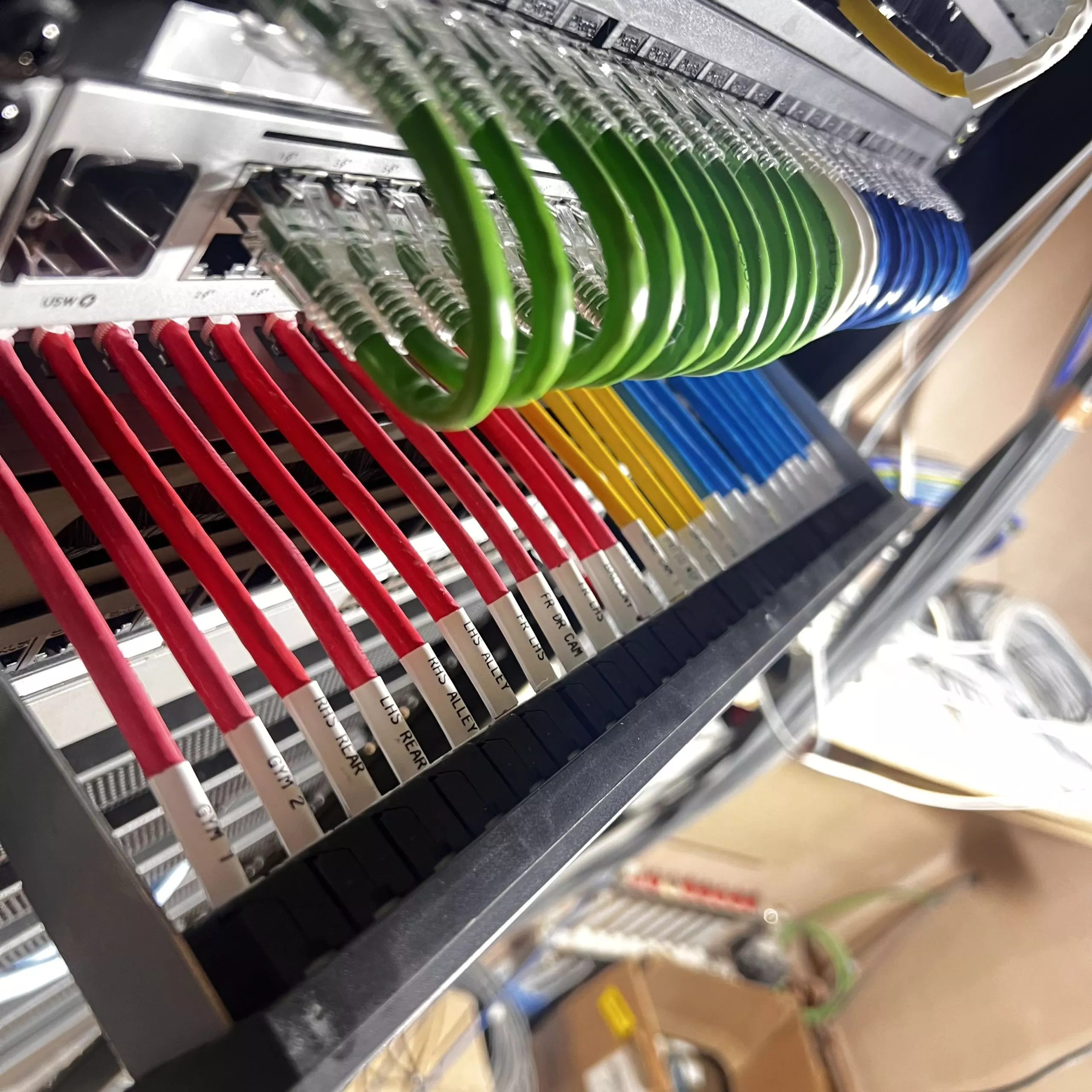
All of this cabling converges on one place: the equipment rack. Plan a dedicated location early: a plant room, large cupboard or garage bay with power, ventilation and enough space to work behind the equipment. A rack squeezed into an airless cupboard under the stairs causes reliability problems for years.
Why involve an integrator at the plans stage
Bringing a smart home installer in while your project is still on paper costs little and saves rework in three specific ways.
The design happens once, not twice. An integrator produces a cabling schedule and drawings your electrician can price and install from. Without one, the electrician wires the house conventionally — competently, but for a conventional house — and changes come later at retrofit prices.
Trades stop working against each other. Lighting circuits, keypad positions, blind power and speaker locations all interact with the electrical design, the joinery and sometimes the structural plan. Agreeing them at the plans stage means no one is chasing freshly plastered walls in month nine.
You can phase the spend. With cabling in place, you can fit the essential equipment now and add rooms, speakers or blinds over the following years without builders returning. The infrastructure is the cheap part; it’s also the part with a deadline.
We’ve been designing and installing smart home systems from our Shrewsbury base since 2006, and the projects that run smoothest are consistently the ones where we saw the plans before the electrician did.
Already plastered? Your wireless options
If your walls are closed, all is not lost. Wireless smart home products have matured considerably, and a good hybrid design can deliver most of what a fully wired system does.
- Lighting: Lutron’s RA3 system uses wireless dimmers and keypads that replace or sit alongside existing switches, so whole-house lighting control is achievable with no chasing. Wireless Control4 dimmers work in a similar way.
- Blinds: motorised shading can run from planned wired power at the window head or from suitable battery and rechargeable systems. Wired power is usually preferable when it can be designed in at first fix; battery options earn their keep in retrofit.
- Audio: compact streaming amplifiers and discreet on-wall speakers can add music to finished rooms, though in-ceiling speakers usually remain possible too, as ceiling voids are often accessible even when walls aren’t.
- Network: a mesh WiFi approach helps where access point cabling isn’t possible, though we’d still recommend getting a wired backbone to key points if there is any loft or void access.
The honest trade-off: wireless systems are excellent for lighting, blinds and control, less so for high-performance audio, video distribution and cameras, which still want cable. An installer can survey a finished house and tell you what’s achievable before you buy anything.
When to make contact
As a rule of thumb: if you have architect’s drawings, it’s the right time. If the electrician is about to start first fix, it’s urgent. And if the house is finished, it’s still worth a conversation about wireless options before you commit to off-the-shelf products that may not work together. You’re welcome to contact us or visit our Shrewsbury showroom to see wired and wireless systems working side by side.
Frequently asked questions
When should I contact a smart home installer during a self-build?
At the plans stage, before first fix electrics begin, ideally while your architect’s drawings are still being finalised. That allows the cabling design to be included in the electrical package and priced once, rather than added as variations mid-build.
What is the difference between first fix and second fix in smart home wiring?
First fix is the cabling and back boxes installed while walls and ceilings are open, before plastering. Second fix is the fitting and configuration of visible equipment (keypads, speakers, access points and the rack) after decoration. First fix creates the options; second fix uses them.
Can I still have a smart home if my house is already plastered?
Yes. Wireless systems such as Lutron RA3 handle lighting and blinds well without chasing walls, and streaming audio products can add music to finished rooms. High-performance cinema, video distribution and wired cameras are harder to retrofit, so a survey is the sensible first step.
What should I wire for even if I’m not buying the equipment yet?
Speaker cable to main living areas, data cable to ceiling access point positions and TV locations, power to window heads for future blinds, data to external camera and doorbell positions, and generous conduit back to a planned rack location. Unused cable is cheap; retrofitting it is not.
Questions About Any of This?
Whether you already own a system that’s playing up or you’re just starting to plan your first project, tell us what’s on your mind and you’ll get a plain answer from the team. Based in Shrewsbury, working across Shropshire, Cheshire, Staffordshire, the West Midlands and the Welsh borders.
Book a Showroom Demo Book a 20-Minute Call Get In Touch Or call 01743 234945 · info@smccustominstalls.co.uk