 Skip to content

Published 11 July 2026 Last reviewed 7 October 2026 By SMC Custom Installs
Lutron HomeWorks is the company’s flagship lighting control system, built around centrally wired circuits with wireless devices where needed, and best suited to new builds, major renovations and larger homes where cabling can be planned in from the start.
Lutron RA3 (RadioRA 3) is its wireless platform, designed to retrofit into existing homes without chasing walls. Both give you scene-based lighting control, engraved keypads and integration with motorised blinds and Control4; the difference is scale, wiring and where each fits in a project. As an authorised Lutron dealer, we install both, and you can try both working systems in our Shrewsbury showroom.
Why Lutron, briefly
Lutron has specialised in lighting control for decades, and it shows in the details that matter day to day: dimming that is smooth and flicker-free right down to low levels, keypads that respond instantly, and a dedicated wireless protocol (Clear Connect) that communicates independently of your WiFi. Whichever system you choose, the experience of living with it is the same idea: press one button and the whole room changes, rather than juggling banks of switches and dimmers.
Lutron HomeWorks: the flagship wired system
HomeWorks is a centralised system. Instead of each light having its own wall switch and dimmer, lighting circuits are wired back to processor panels, usually in a plant room or rack location, and the walls carry elegant keypads instead of rows of switches. Because the intelligence is central, HomeWorks scales to very large properties: hundreds of circuits, whole estates, outbuildings, gardens and pools can all sit on one system.
What that architecture gives you in practice:
- Clean walls. A single keypad replaces the four- or five-gang switch bank by the kitchen door. Scenes like “Cook”, “Dine” and “Evening” live on labelled, backlit buttons.
- Whole-home scope. Every circuit, including LED strips, exterior lighting and garden zones, can join scenes and schedules, with astronomical timeclock control that tracks sunrise and sunset through the year.
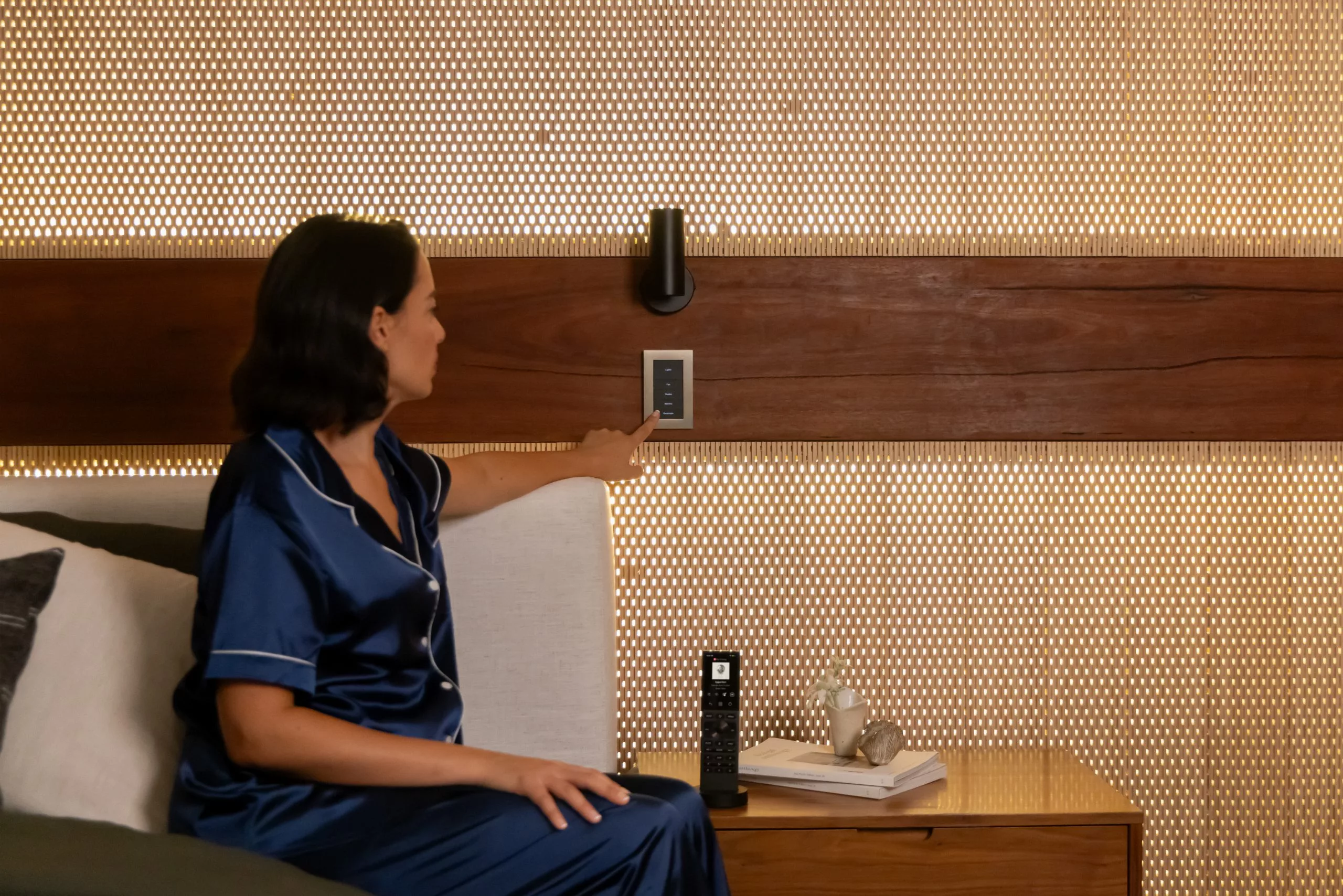
- The widest keypad choice. HomeWorks supports Lutron’s full keypad range, including the Palladiom line, the machined metal and glass keypads that architects and interior designers routinely specify. Keypads can be engraved with your actual scene names.
- Deep shading integration. HomeWorks and Lutron’s wired and wireless blinds are designed as one system, so “Goodnight” can lower every blind in the house as it dims the lights.
The trade-off is that HomeWorks needs planning. Panel locations, circuit schedules and keypad positions have to be designed before first fix wiring, which is why it belongs in new builds and back-to-brick renovations. It is also the larger investment of the two, appropriate for the size of home it serves.
Lutron RA3: wireless control for existing homes
RA3 approaches the same goal from the other direction. Its dimmers and switches install in place of your existing ones, using the wiring your house already has, and they talk wirelessly to a central processor about the size of a paperback. Keypads can go wherever you want them: wired positions, or Lutron’s Pico wireless controls, which are battery-powered and can be wall-mounted anywhere, with no cable at all.
What RA3 does well:
- Retrofit without redecoration. No chased walls, no replastering. A whole-house lighting control system can go into a finished home in days.
- Sensible scale for most homes. RA3 supports enough devices to cover a typical three- to six-bedroom house, including lighting, Pico keypads, sensors and shades.
- The same living experience. Scenes, schedules, engraved keypads (Lutron’s Sunnata range, with custom-engraved buttons) and app control. The daily experience is closer to HomeWorks than the price difference suggests.
- Blind integration. RA3 works with Lutron’s wireless shading, including battery-powered blinds that need no window-head wiring — a genuine advantage in finished rooms.
The trade-offs: RA3 has device limits that very large homes can exceed, a narrower keypad selection than HomeWorks, and because each dimmer sits at the switch position, walls carry more hardware than a centralised design. For most existing homes, none of these matter.
Which system suits which home?
Choose HomeWorks if: you are building new or renovating back to the structure; the house is large or architecturally ambitious; you want centralised panels, the full Palladiom keypad range and every circuit inside the system; or your interior designer is specifying lighting scenes room by room.
Choose RA3 if: your home is finished and you don’t want building work; the project is a typical family house rather than a very large one; you want to start with key rooms and grow the system later; or the budget is better spent on more rooms of control rather than wired infrastructure.
Mixing approaches: projects don’t always fall neatly one side of the line. A renovation that opens up the ground floor but leaves bedrooms untouched can take a hybrid view, and blinds can be wired downstairs and battery-powered upstairs. This is exactly the sort of decision a site visit resolves quickly.
Control4 and blinds: both systems play well with others
Both HomeWorks and RA3 integrate properly with Control4, which we use as our smart home platform of choice. In practice that means your Control4 remotes, touch panels and app can run lighting scenes, and lighting can join whole-house automation, such as a “Cinema” scene that dims the lights as the film starts, or an “Away” mode that runs lighting to make the house look occupied.
Lutron blinds join the same scenes, so shading, lighting and AV behave as one system rather than three apps. You can read more about the options on our Lutron lighting and blinds page and our smart home technology page.
Try both in our Shrewsbury showroom
Specification sheets don’t tell you how a dimming curve looks or how a keypad feels under your hand. Our showroom in Shrewsbury, Shropshire has working Lutron systems running alongside Control4, including HomeWorks with Palladiom keypads and motorised Palladiom blinds, so you can compare the two approaches in one visit and see blind and lighting scenes triggered together.
As an authorised Lutron dealer trading since 2006, we design, install and support both systems across Shropshire and the surrounding counties. Contact us to book a demonstration. And if you already own an older Lutron system and are weighing up what to do with it, our guide to upgrading older Lutron systems covers flickering LEDs, frozen processors and phased upgrades.
Frequently asked questions
What is the main difference between Lutron HomeWorks and RA3?
HomeWorks is a centralised system, built around wired lighting circuits and designed into new builds and major renovations, with the largest scale and the full keypad range. RA3 is a wireless system whose dimmers replace your existing switches, making it the natural choice for finished homes. Both deliver scene-based control, schedules and blind integration.
Can Lutron RA3 be installed without redecorating?
Yes. RA3 dimmers and switches fit into existing back boxes using existing wiring, and Pico wireless keypads mount anywhere without cable. A whole-house system typically goes in without chasing walls or replastering.
Do HomeWorks and RA3 both work with Control4?
Yes. Both integrate with Control4, so lighting scenes appear on your Control4 keypads, remotes, touch panels and app, and lighting joins whole-house automation alongside audio, video, blinds and security.
Which Lutron system controls motorised blinds?
Both. HomeWorks integrates with Lutron’s full wired and wireless shading range, including Palladiom blinds, while RA3 works with Lutron wireless shades, including battery-powered options that suit finished rooms. In both cases blinds and lighting can share scenes and keypads.
Questions About Any of This?
Whether you already own a system that’s playing up or you’re just starting to plan your first project, tell us what’s on your mind and you’ll get a plain answer from the team. Based in Shrewsbury, working across Shropshire, Cheshire, Staffordshire, the West Midlands and the Welsh borders.
Book a Showroom Demo Book a 20-Minute Call Get In Touch Or call 01743 234945 · info@smccustominstalls.co.uk